
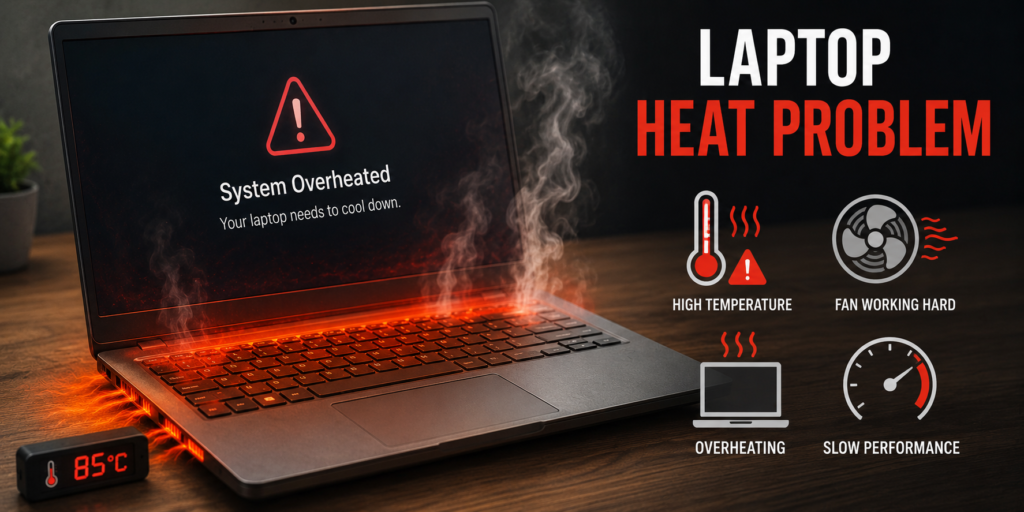
Today users encounter laptop heat problems as one of their most frequent technical difficulties. All laptop activities including office work, gaming, online classes, and movie watching will experience performance reduction and internal component damage because of overheating. People tend to overlook this situation until their laptop experiences performance problems and automatic shutdowns and loud fan operation begins.
You should not feel anxious if your laptop experiences rapid heat buildup. The guide will provide you with information about laptop heat issues including their causes, solutions, and methods to avoid future overheating problems.
Why Laptop Heat Problem Happens
Laptops function as portable computers which contain high-performance components within their compact design. The system generates heat during operation because of its design. The system uses a cooling fan together with vents to eliminate hot air yet there are times when the system fails to manage its temperature effectively.
The following factors represent the primary causes which create thermal issues in laptops.
1 Dust in Cooling Fan and Vents
Dust is one of the biggest causes of overheating. When dust blocks air vents or sticks to the fan, airflow becomes weak. Hot air stays inside the laptop and temperature rises quickly.
2 Heavy Software or Multitasking
Multiple active programs simultaneously demand higher CPU and RAM resources. The combination of video editing software, games, multiple browser tabs, and running background applications causes increased thermal output.
3 Old Thermal Paste
Thermal paste serves to transfer heat between the processor and the heat sink. The material loses its effectiveness because it dries out through time. The situation leads to major overheating issues which affect laptop performance.
4 Using Laptop on Bed or Soft Surface
People use laptops on beds, pillows, and blankets because they find these surfaces more comfortable than desks. The bottom vents of laptops become blocked by these surfaces, which results in hot air becoming trapped inside the device.
5 Faulty Cooling Fan
The laptop requires proper cooling through its cooling fan because any damage or reduced speed of the fan prevents effective cooling. You may hear unusual fan noise or no sound at all.
6 High Room Temperature
In the case of summer or hot rooms, laptops have more trouble working because the surrounding air is already warm.
7 Signs of Laptop Heat Problem
You can identify overheating through these warning signs:
The laptop reaches excessive temperatures when the user touches its keyboard and bottom panel areas.
The fan operates at maximum volume continuously throughout the entire time.
The system experiences decreased operational speed.
The applications either stop working completely or will not respond to user commands.
8 The battery power decreases rapidly.
The laptop operates between two states because it shuts down without user command.
The screen experiences delays during both gaming and video playback.
If you notice these issues regularly, your laptop may be overheating.
How Laptop Heat Problem Affects Your Device
The system will experience permanent damage when people disregard its overheating problems. The system will become damaged because heat impacts nearly every internal part.
1 Reduced Performance
Modern laptops experience automatic performance reduction when their operating temperature exceeds safe limits. The process known as thermal throttling decreases system performance to protect hardware components. The system capacity limitation protects hardware components yet results in slower performance for the laptop.
2 Battery Damage
Batteries function better at cool temperatures because high heat conditions decrease their operational performance. Batteries
3 Motherboard Problems
One possible consequence of a lasting heat can be damage to the motherboard chips, graphics adapters or processors.
4 Sudden Shutdowns
Most laptops will automatically shut down once they reach a critical temperature as a result of overheating, in order to protect their damage.
5 Shorter Lifespan
A cool laptop is believed to live longer than the one, which overheats every minute.
6 How to Fix Laptop Heat Problem
It is now possible for us to discuss some practical solutions to be used by you at home.
7 Clean the Air Vents
The side and bottom vents need to be checked for dust accumulation. The vents should be cleaned using compressed air or a soft brush for gentle cleaning. The laptop cooling system operates more efficiently when better airflow exists.
8 Use Laptop on Hard Surface
Always place your laptop on a table, desk, or laptop stand. Hard surfaces keep vents open and improve cooling.
9 Close Unnecessary Programs
The system experiences higher CPU usage when multiple applications run simultaneously. Users should terminate all active applications and software.
Users can access Task Manager on Windows to identify applications that consume excessive CPU or memory resources.
10 Update Software and Drivers
Drivers that have not been updated to current versions create additional CPU demands. Users should maintain up-to-date Windows operating systems and all graphics drivers together with BIOS updates.
11 Use Power Saving Mode
Battery saver mode together with balanced mode should be activated when users need to do online browsing and document typing work. This operation minimizes both processor performance and system temperature.
12 Buy a Cooling Pad
A laptop cooling pad uses multiple additional fans to achieve better cooling effectiveness. The device serves as an essential tool for both gamers and individuals who need it for intensive work.
13 Replace Thermal Paste
The thermal paste requires replacement when your laptop frequently overheats because it has reached its lifespan. A technician should perform this procedure.
14 Check the Fan
Get immediate technical evaluation of the system when you detect unusual sounds from the fan or observe that it has stopped working.
15 How to Prevent Laptop Heat Problem
The best approach to handle technical problems requires people to adopt preventive measures. The following practices should be observed as daily routines.
16 Keep Laptop Clean
The cleaning process for vents needs to be conducted every three weeks.
17 Avoid Direct Sunlight
Users should avoid working on laptops when they are exposed to direct sunlight or extreme temperature conditions.
18 Do Not Block Airflow
Users should avoid operating their laptops on beds or sofas or any surface which includes cushions.
19 Restart Regularly
Operating a system continuously without performing restarts will result in excessive strain on all active background operations.
20 Use Original Charger
The use of low-cost chargers leads to problems with battery performance and devices generating excessive heat.
Limit Heavy Gaming Sessions
Users should take regular breaks during extended periods of gaming and editing work.
Best Temperature for Laptop
The normal temperature range for laptops depends on the activities which users perform on their devices.
The system temperature during idle operation ranges from 35°C to 50°C, standard operation ranges from 50°C to 70°C, intensive gaming and editing activities reaches between 70°C and 85°C, reaches dangerous levels when it exceeds 90°C.
You can use free tools like HWMonitor or Core Temp to check temperature.
Laptop Heat Problem in Summer
Many users face overheating in the summer season. Room temperature itself increases laptop heat. During summer:
The user needs to operate the fan or air conditioning system in the room, keep the laptop on a stand, stop charging the laptop during gaming sessions, lower the screen brightness, operate the cooling pad.
People who need to visit technicians should go to get help.
You should seek professional help if:
The laptop keeps shutting down.
The fan has stopped functioning.
The device operates at temperatures above 90 degrees Celsius.
The laptop emits a burning odor.
The screen freezes when the device reaches high temperatures.
Do not open the laptop yourself if you are inexperienced.
Best Habits for Students and Office Users
If you use a laptop daily for study or office:
Open only the applications which you require
You should perform storage cleaning at regular intervals
Store your additional documents in cloud storage
Your computer should be restarted on a daily basis
You should keep your laptop on the desk
The system speed increases and heat production decreases through basic operational practices.
FAQ
1 Why does my laptop get hot so fast?
The system experiences overheating problems because of dust accumulation and vent obstructions and the use of demanding software and inadequate airflow solutions.
2 Is laptop heating normal?
Users experience normal operation when their devices exhibit slight heating, but any extreme heat condition falls outside standard operating parameters.
3 Can overheating damage my laptop?
The answer is yes because extended periods of excessive heat will cause damage to the battery and processor and motherboard components of the system.
4 How do I cool down my laptop fast?
The process requires users to power off the device and shut down all active programs and then transport the equipment to a chilled environment before they perform ventilation system maintenance.
5 Should I buy a cooling pad?
Yes, cooling pads provide essential support to both gamers and users who require their laptops for extended periods.
Conclusion
The laptop heat problem occurs frequently throughout the year, but people must remain aware of its dangers. Overheating causes three major problems for laptops which include performance slowdown and battery degradation and hardware damage. The good news is that most heating issues become solvable through three simple steps which include cleaning vents and closing heavy applications and using a cooling pad and placing the laptop on a hard surface.
Begin your laptop maintenance now if your device experiences frequent overheating. A cool laptop operates at higher speeds while extending its operational life and delivering superior performance.