
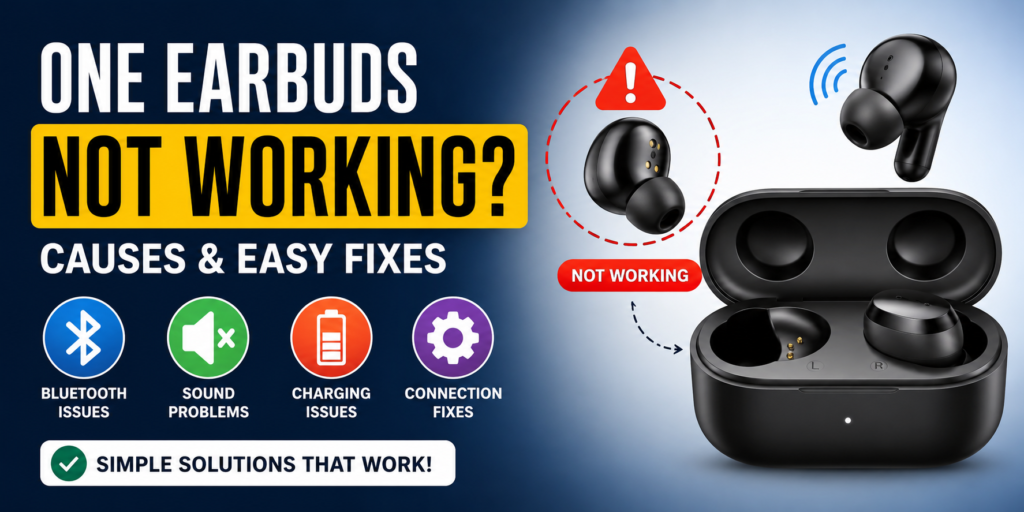
Wireless earbuds are now a necessity for people to listen to music, play games, make phone calls, and exercise. The most prevalent issue experienced by people using wireless earbuds is that only one earbud functions well while the other does not work at all. This is quite annoying, especially when one is listening to music or making vital phone calls.
Fortunately, it is possible to rectify this issue in almost all instances without buying new earbuds and spending much money. It is possible to repair your Bluetooth earbuds, TWS earbuds, gaming earbuds, or premium earbuds yourself.
Why Are One Earbud Not Working?
There are many possible reasons why only one earbud works. The common causes which lead to this problem include:
One earbud has a low battery
Bluetooth connection problem exists
Dirt blockage prevents sound from coming through
Charging case has a malfunction
Audio balance settings changed
Software program experiences a malfunction
Speaker system or other hardware components have sustained damage
Mono audio mode got turned on by mistake
The problem requires different solutions because some cases need simple fixes while others need equipment repairs or complete replacement.
1. Check Battery Level First
The most common reason for an earbud to stop working occurs when its battery power becomes insufficient on one side.
What to Do:
Put both earbuds back in the charging case
Charge for at least 20–30 minutes
Check LED indicators
Make sure both earbuds are charging properly
The earbud fails to connect because it remains uncharged according to its current battery status.
Pro Tip:
The charging pins inside the case need cleaning because dust prevents charging from occurring on one side.
2. Reconnect Bluetooth Earbuds
The Bluetooth pairing issue causes one device to stop functioning because of the established connection.
Steps:
Turn Bluetooth off on your phone
Put earbuds back in case
Remove old pairing from phone settings
Restart phone
Pair earbuds again
The basic reset procedure solves most problems which prevent one earbud from functioning.
3. Clean the Earbud Speaker Mesh
Earwax and dust and dirt create sound blocks which prevent hearing from one side. The earbud functions properly yet its sound output remains too quiet for listening.
How to Clean:
Use a soft dry toothbrush
Use cotton swab gently
Do not use water
Clean speaker mesh carefully
After cleaning, test audio again.
4. Check Audio Balance Settings
Numerous smartphones offer users the capability to control audio balance between their left and right channels. When the balance reaches its maximum position, the user will experience loss of sound from one earbud.
To access left right audio balance settings on Android devices users need to navigate through the following path:
Settings
Accessibility
Hearing settings
Left/Right balance
On iPhone:
Settings
Accessibility
Audio/Visual
Balance slider
Move it to center position.
5. Reset Earbuds to Factory Settings
The factory reset procedure will fix connection problems when one of the earbuds fails to function.
General Reset Method:
Put both earbuds in charging case
Press and hold touch button for 10–15 seconds
Wait for blinking light
Remove and reconnect
Different brands may use different methods to reset their products, so you need to consult the product manual.
6. Update Earbuds Firmware
Some branded earbuds have companion apps. Connection problems will happen when users operate with outdated firmware.
Examples:
JBL Headphones App
Sony Headphones Connect
Realme Link
boAt Hearables App
Samsung Galaxy Wearable
Open the app and check for updates.
7. Charging Case Problem
The charging case, rather than the earbud itself, frequently creates issues for the user.
Signs:
One earbud never charges
One side battery always 0%
Loose charging pin
Fix:
Clean charging contacts
Check if spring pins move properly
Charge case fully
Try different charging cable
8. Mono Mode or Single Earbud Mode
Many TWS earbuds support single earbud use. The device sometimes becomes stuck in mono mode.
Fix:
Put both earbuds in case
Remove together at same time
Reconnect to device
This procedure will help to restore the proper connection between the left and right earbuds.
9. Test with Another Device
The process to determine whether your earbuds or phone contains the problem requires you to connect your earbuds with different devices.
Connect your earbuds to another phone and try your laptop or tablet. Play music
Your phone settings are causing the issue, since both devices function correctly on another device.
10. Restart Your Phone
Bluetooth problems happen due to issues with the phone.
Simple Fix:
Restart phone
Turn Bluetooth on again
Reconnect earbuds
Temporary software problems will usually get fixed with this method.
11. Water Damage Issue
Moisture damage occurs when earbuds get used during gym sessions or when it rains or when users sweat heavily.
What to Do:
Dry earbuds completely
Keep in dry place for 24 hours
Do not charge immediately if wet
The device needs internal repair work when it becomes unresponsive.
12. Hardware Damage
Internal speaker wire breaks when one earbud falls down or gets crushed.
Signs:
No sound even after reset
Charging works but no audio
Crackling sound
Loose parts inside
The situation requires either a repair service or a total replacement.
How to Fix One Earbuds Not Working in Popular Brands
1. boAt Earbuds
Reset from case
Clean charging pins
Use boAt app if supported
2. Realme Earbuds
Use Realme Link app
Update firmware
Re-pair Bluetooth
3. Noise Earbuds
Reset touch controls
Charge both sides fully
4. JBL / Sony / Samsung
Use official app
Firmware update
Factory reset
Prevent One Earbuds Not Working Problem
To prevent future issues:
Maintain cleanliness of earbuds
Perform charging activities at regular intervals
Utilize the manufacturer-provided charger
Do not drop the earbuds
Keep the earbuds protected from water
Store the earbuds inside their charging case
Perform firmware updates
Proper maintenance extends the lifespan of earbuds.
When to Replace Earbuds
You should consider replacement if:
One side completely dead
Not charging at all
Sound very weak permanently
Repeated disconnect issue
Battery drains quickly
You need to contact the brand support center when your earbuds are still under warranty.
Quick Fix Checklist
If one earbuds not working, try these in order:
Both earbuds need charging
Speaker mesh must be cleaned
Charging pins must be cleaned
Bluetooth connection needs to be reestablished
Audio balance settings need to be checked
The user needs to restart their phone
The user needs to perform a factory reset of their earbuds
The user needs to update their firmware
The user needs to test their earbuds with another device
The user should obtain a warranty replacement when necessary
Frequently Asked Questions (FAQ)
1. Can I fix one earbud not working at home?
The majority of problems become solved through three methods which include equipment charging and device resetting and the process of cleaning and device reconnection.
2. Why does one earbud produce low sound?
Dust or earwax blockage usually causes low sound in one earbud.
3. Should I buy new earbuds if one side stops working?
Wait until you complete the reset process and cleaning process before purchasing new equipment.
4. Why does only one earbud connect to the phone?
The device remains in mono mode because it experienced pairing failure.
Conclusion
The problem of one earbud not working is common, but it is usually easy to fix. The majority of people experience problems because their battery power is too low or their Bluetooth connection has not yet established or their device has dirt that blocks its functions or their device settings are incorrect. The guide provides steps which will help you to fix your issue while saving expenses.
Begin with basic solutions which include charging and cleaning and Bluetooth device reconnection. If nothing works, then check the warranty or replace the earbuds. Your earbuds will maintain their operational performance through proper maintenance practices.